
INSIGHTS / BRAVELY PROJECT
Website Audit Before Redesign: What to Check?
READ WHAT MATTERS TO YOU
Where would you like to start?
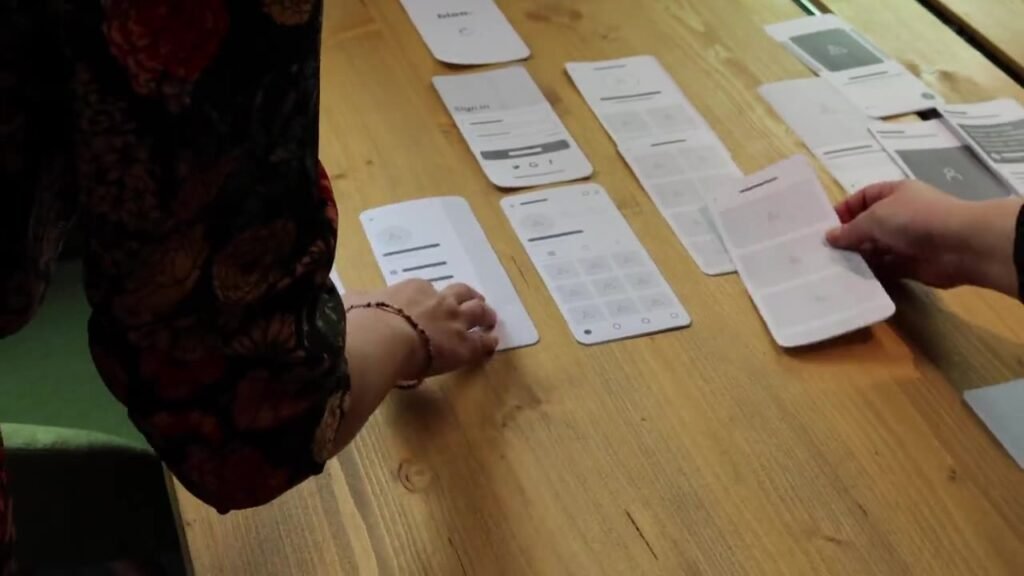
Conducting a website audit before a redesign helps the team know what needs to be changed and what is still useful. Without inspection, it's easy for a project to depart from visual taste and then repeat old problems in a new light. Audits provide a basis for assessing content, structure, function and technical work requirements.
The result document does not have to be filled with hundreds of findings. More important are examples of pages, evidence of problems, impact on visitors' tasks, and remedial steps that can be prioritized. Use the following checks as a framework for discussions with internal teams as well as the vendors who will be handling the update.
Inventory of pages and important functions: website audit before redesign
Make a list of pages and functions before judging the design. Group homepage, services, products, articles, location, contact as well as custom pages. Include documents and URLs that are frequently shared via proposals or messages, even if they don't appear in the main menu.
Note the purpose of each page, the owner of the information, and the status of the material. Separate active pages, outdated content, and pages whose use is unknown. Don't immediately delete content you rarely open; Check first whether it is still used by customers or other parts of the company.
For functions, write scenarios, not component names. The form needs to be viewed from filling it out until receiving the message. The catalog needs to be checked on search, details, documents and admin updates. This inventory then becomes a reference when the team determines the scope of the redesign.
Mark sections that cannot be checked due to restricted access. Audit limitations must be visible so that decisions do not rely on assumptions that have never been tested.
Map the journey from entry to contact
Pick a few important tasks and execute them like a new visitor. Start on a page that might be found through search, ads, or message links. Note whether users can understand the offer and figure out next steps without explanation from staff.
As a hypothetical example, a machine buyer goes directly to product details. It requires capacity, resources, documents and lines of inquiry. An attractive homepage doesn't help if the information isn't available or hidden in unknown files.
Note the point when context is lost. Buttons that simply say “more” can be difficult to understand beyond their initial layout. General forms can also ask visitors to repeat recently viewed products or branches.
Use task notes to differentiate key barriers from preferences. Many steps are not necessarily bad if each step helps choose, but unclear steps need to be explored for reasons and impacts.
Review the clarity of content and offers
Review whether the page answers reasonable questions before people contact the team. Check services, area limits, processes, terms and price information if it can be published. Don't ask the writer to clarify passages where the company doesn't agree with the basic facts.
Separate facts, claims, and illustrations. Proof of the project must match the actual work performed. Results figures or testimonials require a verifiable source, while usage examples need to be marked as illustrations so they are not read as client experiences.
Check consistency between pages. Different service names, contacts, opening hours and process descriptions can make visitors hesitate. Assign information owners so that corrections don't just hit pages that happen to be discovered during an audit.
Turn findings into specific content needs. Instead of writing “the copy doesn't sell well enough,” note down unanswered questions, confusing passages, and facts that need to be confirmed with the service owner.
Check mobile navigation as well as forms
Perform the same tasks via mobile. Check menus, readability, tables, images and contact buttons. Pay attention to whether floating elements cover the content or whether visitors need to zoom in to fill out the form.
Test forms with incomplete data, invalid data, and failed submission attempts if test conditions allow. Check labels, error messages, confirmations, and acceptance by the team. Avoid using real customer data to simply prove the flow works.
Note the device, browser, and conditions under which the problem occurred. This information helps developers iterate on issues. The statement “the form sometimes breaks” is more difficult to follow up on than a step that describes the page, input, and visible results.
Don't conclude all visitors are experiencing the same problem from one try. Use the findings as a basis for additional testing, then explain the limitations in the report.
Note any visible accessibility issues
MDN accessibility guidelines explains efforts to make the website usable by more people. Start from heading structure, form labels, contrast, and keyboard navigation. This inspection needs to be a functional assessment, not considered additional decoration.
Try navigating the main section without a mouse. Check the focus order and whether the user is aware of the currently selected position. Links and buttons should have labels that explain their actions, especially when read separately from the visual context.
Check the images that contain important information. If schedules or requirements are only available in images, visitors may have difficulty reading or accessing them. Review alternative text requirements and consider presenting information as text that can be updated.
A basic inspection is not the same as a full compliance audit. State the scope and methods used. Automatic findings still need to be checked by humans so that the recommendations fit the context of the page.
Test performance and basic technical conditions
Core Web Vitals Documentation Google discusses user experience metrics such as loading, engagement, and display stability. Use performance findings to find the source of obstacles, rather than stating one score as a comprehensive assessment of the website.
Differentiate test conditions and available field data. The results of a single experiment may be affected by devices, connections, and third-party services. Note down the methods so the team can compare checks on the same basis.
Check for large images, fonts, videos, and scripts that don't support the main task. Each component needs to have a reason for use. Deleting components carelessly can also damage measurements or functions that are actually needed.
Include basic technical checks like page responsiveness, broken links, and contact integration. Findings need to be linked to the affected page or template, then discussed with those who can implement the fix.
Review URLs and maintained organic pages
Google Explanation of how search works distinguish crawling, indexing, and presenting results. In an audit, check that important pages are discoverable and accessible, but don't promise that every URL will be indexed or get a certain position.
Inventory of URLs to maintain, merge, move, or retire. Link decisions to relevant replacement content. Changing the structure of a website requires considering the links customers already use and search tools.
Check the title, canonical, index settings, and internal links according to available access. If search data is not available, state the limit. Audits can still find problems, but should not inflate traffic or volume to give the impression of greater certainty.
Save the checklist for after launch. Migration requires validation on the live website because test and production environment configurations may differ.
Turn findings into a prioritized to-do list
Group findings by impact, effort, and dependencies. Major form snags may need to be fixed soon. Data model changes can await architectural decisions. Corrections to certain facts require the service owner's approval before the developer changes the page.
Each recommendation should have an example, a reason, an owner, and a way to check the results. Avoid long lists that show no order. The team needs a basis for selecting first jobs and understanding remaining issues.
Set several scopes: limited repair, redesign, or rebuild if the findings support it. Explain reusable parts and the risks of each option. A website audit before a redesign should help decisions, not automatically justify the biggest projects.
End with a list of outstanding decisions. Business owners, writers, designers, and developers can get their parts done through the same work plan. In this way, the audit turns into work that can be reviewed, rather than a document that stops after presentation.
Examples of decisions that can be reviewed
As a hypothetical illustration, a materials company wants to update its website because questions about a product are too common. An audit takes one task: a potential buyer searches for a product with certain specifications and then asks for a quote. The team ran the task via mobile and noted that categories were easy to find, but quality details and delivery areas were not available.
They didn't immediately conclude that they needed to replace the entire design. Findings were separated into content requirements, catalog models, and contact flow. The technical team checks specifications, sales explains initial offering data, and developers assess product field changes. Large photos that slow down the page are noted as a different job.
The backlog then places specification information and requirements forms as a priority. Homepage animation replacement has a weaker rationale as it doesn't accomplish the main task. Each item is assigned test criteria: the product is discoverable, the document is open, and the request carries the required information. This decision shows how an audit helps determine scope based on real barriers.
The team also checks how admins update shipping information. They found that the same details were rewritten on several pages. This issue increases the risk of inconsistencies when service areas change. The recommendation is not simply to improve the sentence, but to determine a single source of information that is maintained by the process owner and displayed consistently.
To estimate effort, developers ask for examples of simple products and products with variations. The author asks for a list of customer questions along with agreed facts. With this material, each party can explain their work without guessing the number of documents or data patterns. Audit findings provide a link between user needs and implementation estimates.
Before the project begins, the company chooses which URLs to maintain. Product pages that are still useful are not deleted just because their appearance will change. Recurring pages are mapped to the most relevant replacement. The list is saved as migration testing material, then checked again after the website is actively updated.
The audit does not promise increased sales after the job listing is completed. The team judges initial success by what can be checked: the information is correct, the product search task can be executed, and the form works. The quality of demand is then discussed with sales using available data. If problems still arise, the company can go back to the task log and fix the parts that haven't helped, without assuming all of the initial decisions are necessarily correct.
In the final report, the limitations remain visible. Pages that cannot be tested, access that is not yet available, and facts that are pending approval are not displayed as completed work. This openness helps decision makers understand uncertainty before agreeing on the scope of the update.
Frequently asked questions
Does the audit have to wait for analytics access?
No. Checking content, navigation, accessibility, and functionality can start from public access. However, explain the limits when behavioral or search data is not yet available. Don't replace missing data with unsourced traffic estimates.
Do all findings need to be redesigned?
No. Some can be fixed immediately, some depend on structural changes, and some require clarification. Prioritize based on key tasks, risks, and dependencies. Note down pending work so it doesn't get lost in the discussion.
What audit outputs are most useful to vendors?
List of findings with example URL, steps to iterate the problem, impact, and acceptance criteria. Add content inventory as well as URL decisions. That information helps vendors estimate the job more precisely than general comments about displays.
Reading for your next step
Adapt this discussion to business processes before requesting proposals. You can check scope of website creation as a starting point for determining work and access needs.
Examples of relevant industry needs can be explored in Luxury Home, Hospital, Fashion Brands. Use the context to assess the correct information, contact lines, and operational responsibilities required.
- Prepare a Website Brief so that the Proposal is More Precise
- Website Redesign or Rebuild: How to Determine
- B2B Website Structure to Facilitate Quote Requests
- Audit Scope SEO: Useful Report Contents
References
In this article
- Inventory of pages and important functions: website audit before redesign
- Map the journey from entry to contact
- Review the clarity of content and offers
- Check mobile navigation as well as forms
- Note any visible accessibility issues
- Test performance and basic technical conditions
- Review URLs and maintained organic pages
- Turn findings into a prioritized to-do list