
INSIGHTS / BRAVELY PROJECT
Brief Photos and Videos for Websites and Advertisements
READ WHAT MATTERS TO YOU
Where would you like to start?
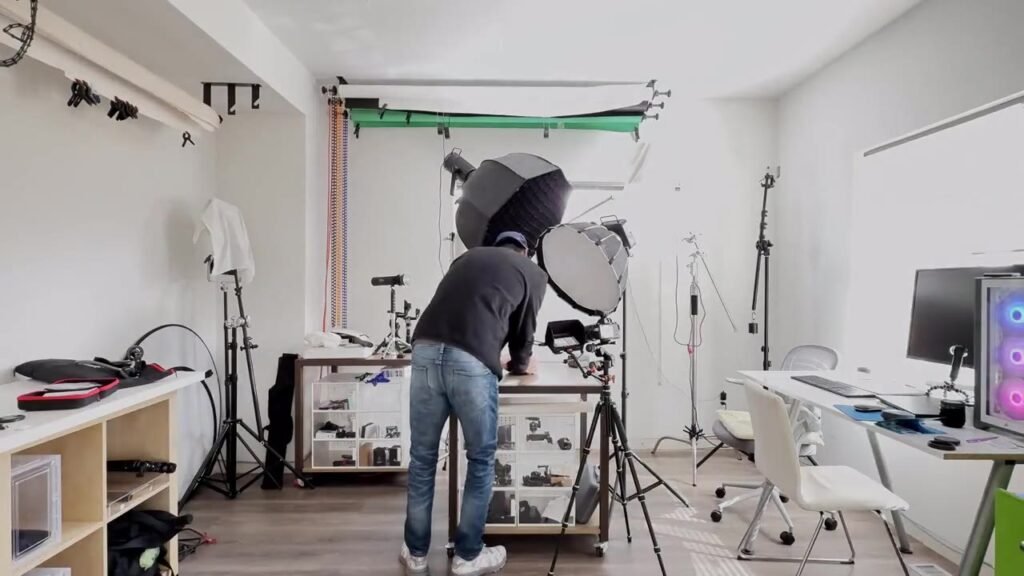
A photo video marketing brief should start with where the asset will be used and the information the audience needs to understand. Photos that look attractive may not necessarily be suitable for website heroes, product details, or vertical ads. Without clear end needs, teams may come away with a lot of material but still lack orientation, text space, or important details. A concrete brief links page goals, shot lists, usage rights, and results checks before assets are handed over to design and campaign.
Inventory of use in photo video marketing briefs
List asset positions before determining shooting style. Website heroes need space for titles and buttons, catalogs need consistency between products, while ads can need some orientation. Write down placement sizes, primary devices, and image functions so the production team understands the end user's needs.
As a hypothetical example, a resort needs a landscape photo for the website opener and a vertical photo to introduce activities. One picture of the pool from a distance does not necessarily satisfy both. An inventory helps differentiate ambiance, amenities and room details needs before determining the number of pick-ups.
Separate mandatory assets from additional ones. Mandatory priority should concern areas that cannot be published without such images, such as product details or facility conditions. Additional assets provide variety, but don't waste production opportunities before important information is documented.
- Note the landing page or channel for each asset group.
- Determine the orientation and need for image cuts.
- Mention the information that should remain visible after cutting.
- Determine who checks results for compliance with the design.
Determine the subject and information that needs to be visible
Instructions such as premium photos are too open to interpretation. Describe the subject, angle, details, and questions you want the audience to answer. Photos of a restaurant space can convey the atmosphere, but capacity or entry information requires another shot. Every visual need should be connected to the part of the story that will be written.
In a hypothetical example of a fashion product, the overall image shows the cut, while the fabric and stitching details help understand the material. Photos that only emphasize style can leave uncertainty about the product. The team needs to know which are scene images and which serve as detailed documentation.
Use references to explain the direction, then write down the reasons for the choice. Don't ask your team to copy someone else's work exactly. References can indicate composition, lighting levels, or text space, but the results still need to match your business identity, location, and usage rights.
Check that the promised subject is actually available on the day of production. Unfinished facilities, different products, or unlicensed talent may change plans. Readiness notes help avoid images that look good but don't represent the actual offering.
Set up orientation, ratios and safe areas
Cropping can remove information that is central to the image. Define areas that should be maintained when assets are used on different screens. For heroes, the main subject should not always occupy the same space as the title; for catalogues, products need to remain legible on small displays.
The TikTok creative guide addresses adapting material to the channel experience and creative presentation practices. Channel recommendations need to be checked during production as interface placement as well as formatting requirements can impact safe areas for critical information. Look Creative best practices from TikTok for Business.
As a hypothetical example, a vertical video of a restaurant displays dishes in the center of the screen, while the menu name is added in an area that does not collide with the app controls. The website version may require wider cuts. Incremental fetching makes more sense than forcing a single file to cover the entire requirement.
Do not add all text directly to the master file. Save a clean version so assets can be reused and information can be updated. If the text is part of the product documentation, make sure it remains legible and does not change due to compression or automatic cropping.
Provide a priority order in case the retrieval time decreases. As a hypothetical example, restaurant production loses access to one space due to operational use. The team needs to know which photos are mandatory for outlet information and which can follow. Priorities written based on page requirements help maintain production values, while on-location decisions don't just follow the easiest or most interesting subjects to take on.
Design a shot list of usage scenarios
A shot list turns needs into a doable list. Group by location, subject, or talent readiness, but keep the end goal in mind. Teams can organize production sequences efficiently without losing the connection between images and the parts of the page that need them.
In the hypothetical example of a villa, the listing might include the entire room, bed assignments, kitchen, parking access, and pool area. The opening photo establishes the atmosphere, while the other images answer questions about capacity and facilities. Without such a list, production is easily dominated by similar decorative angles.
| Goal | Required retrieval | Results check |
|---|---|---|
| Atmosphere hero | Wide field with text space | The subject remains legible on the phone. |
| Facility details | Angles that show real conditions | Information according to available facilities. |
| Product catalogue | Consistent angles and distinctive details | Product variations and labels are not mixed up. |
Provide alternate notes if weather, location, or activities change. Alternatives must still provide the required information, not just add another image. Mark completed takes and those that do not meet the criteria so that deficiencies can be identified before the session ends.
Verify location, talent, brand and music permissions
The brief needs to mention the planned use, including website, advertising, social media, as well as possible format adjustments. Permissions that only cover internal documentation are not necessarily appropriate for paid campaigns. Keep evidence and limits on shared use of assets so designers don't guess their suitability.
As a hypothetical example, a photo of a facility contains a recognizable visitor. The team will need to review permissions or select another take before publication. On productions with talent, check use agreements and permitted contexts, especially when material relates to health or sensitive services.
Music, other party logos, and work visible on location also need to be reviewed. The availability of a file does not automatically mean it can be used on all channels. When using a stock library, note the source, license, and relevant terms of use without relying on the folder name as the sole evidence.
Assign usage rights check owner. The creative team can gather materials, but feasibility decisions need to follow the remit of the business. If the status is unclear, mark the asset as not yet eligible for issuance and provide alternatives that do not depend on the permit.
Separate illustrations from real project documentation
Stock photos or illustrative visuals can help explain the scene, but should not masquerade as proof of work. On a portfolio page, users can assume the images show projects actually worked on. Provide information about potential misinterpretation and select actual documentation for claims about output.
In the contractor's hypothetical example, stock building photos do not prove experience building the object. Photos can be used to illustrate topics with clear context, while portfolios require documentation and project permission. Separating the two maintains the connection between visuals and evidence.
Google explains that page context, captions, and alternative text help understand images. The information surrounding the visual needs to match what is shown, including when the image is illustrative and does not document the case being discussed. Look Google image SEO best practices from Google Search Central.
Video marketing photo briefs need to give status to assets: business documentation, licensed project documentation, stock, or illustrations. This status helps authors organize information and prevents designers from using decorative materials to support claims of results that cannot be substantiated.
Separate visual needs from information that is more precise into text. In a hypothetical example, a video of a hotel room could show the room layout, but the stay policy would need to remain available as an updateable text. Imposing length requirements on videos makes changes more difficult and can leave outdated versions behind. A good brief organizes media assignments so that visuals support understanding without being the sole source of important details.
Set the file name, alt text, and storage
File naming should help teams find subject, variation, orientation, and version. Avoid relying on camera sequences that don't explain the content. Keep the master separate from the web-ready files so that resizing doesn't remove original material that is still needed for other channels.
Create an asset list that links files, subject, purpose, usage rights, and description. Alternative text is structured based on the function of the image on the page, rather than copied the same for all versions. Decorative images and images that carry information have different explanation needs.
The Google video guide discusses the presentation of videos and supporting information so that the content can be understood and found. In production, prepare appropriate titles, summaries, and accompanying materials, rather than submitting files without context of use. Look Video SEO best practices from Google Search Central.
As a hypothetical example, a video tour of a facility is accompanied by a summary of the sections shown and a transcript if there is a verbal explanation. The voiceless version of the hero's background does not replace the main textual information. The storage structure needs to make these version differences easily recognized by publishers.
Test crop and readability on the target device
Final approval should be done on a placement that resembles actual use. Images that look good as full files can fail when they become small cards or mobile heroes. Check cropping, text contrast, sharpness of details, and file weight with website and campaign managers.
In a hypothetical example, the bedroom photo shows the entire space on desktop but cuts out the bed on mobile. The solution could be a different focus position or orientation-specific assets, rather than shrinking all elements to the point of being unreadable. Choices follow the information that needs to be retained.
For videos, check the opener, text, sound, summary, and behavior when playback is not available. Important information must still be understood through the content of the page. Don't make decisions based on a single device or connection that is vastly different from your intended audience's experience.
Close the marketing video photo brief with a list of open passes and shortcomings. An asset is declared ready when the information purpose, usage rights, format, and placement suitability have been checked. These notes help future productions learn from real needs, rather than repeating the same shortcomings.
Select priority pages or campaigns and create a visual list based on their audience's questions. Once the need is clear, the production team can prepare appropriate pickups and permits. Examination of the final placement ensures the asset is attractive while delivering the promised information.
Reading to support your decision
- Website Photo Optimization: Size, Format, and Alt Text
- SEO Images and Videos: Preparing Understandable Media
- Creative Testing Meta Ads: Briefs, Variations, and Evaluation
- Brief Video TikTok Ads for Products and Services
Implementation can be customized for Luxury Home, Resorts, Fashion Brands, Restaurant.
Discuss implementation needs through services website creation, SEO, or digital advertising management Bravely. The scope of work follows the problem, material readiness and operational flow of your business.
Official sources
- Google image SEO best practices — Google Search Central
- Video SEO best practices — Google Search Central
- Creative best practices — TikTok for Business
Practical questions before you start
Can one photo be used in all formats?
Sometimes it can, but it doesn't always maintain the subject and text space well. Determine primary use and test cutting. If important information is missing, additional onboarding fetches or versions are more appropriate than forcing a single file.
Are stock photos OK to use on industry pages?
May be considered subject to licensing and clear context. Do not present it as project documentation or proof of specific business facilities. Save sources and usage limits so publishers can check suitability before publication.
When should alternative text be written?
Arrange them after the position and function of the images on the page are known. Information about the subject can be prepared during production, but the final alt text needs to explain the image in the context of its use and not simply repeat keywords.
In this article
- Inventory of use in photo video marketing briefs
- Determine the subject and information that needs to be visible
- Set up orientation, ratios and safe areas
- Design a shot list of usage scenarios
- Verify location, talent, brand and music permissions
- Separate illustrations from real project documentation
- Set the file name, alt text, and storage
- Test crop and readability on the target device
- Practical questions before you start